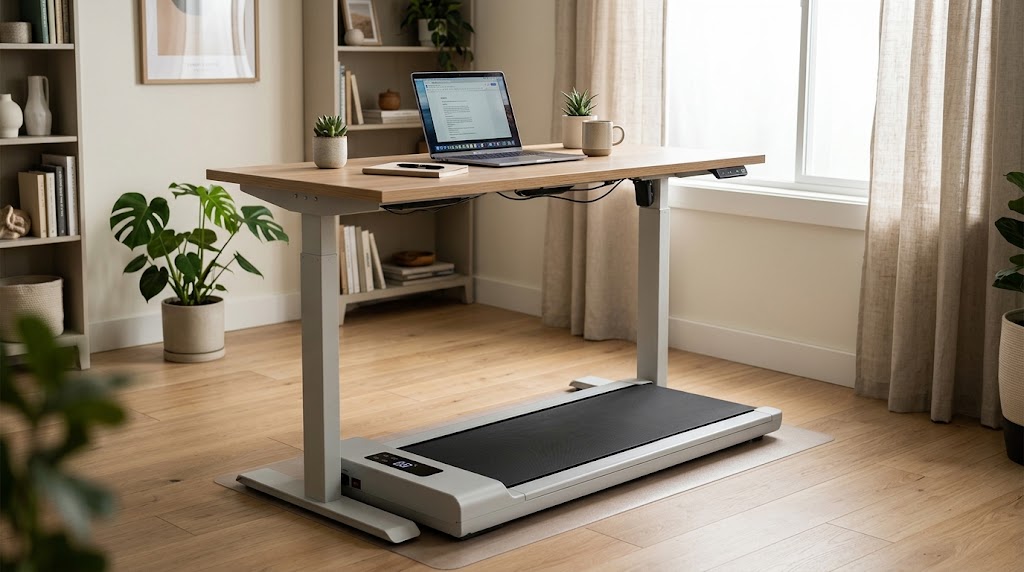
The remote work movement problem
Working from home solved the commute. It also eliminated the 4,000 to 6,000 steps most people used to get just by moving around an office, walking to the car park, and grabbing lunch. That daily baseline of movement matters more than most people realise. Research consistently links prolonged sitting with increased cardiovascular risk, regardless of whether you exercise separately.
A walking pad under your standing desk puts those steps back into your day without adding a separate workout block. You walk while you work. The movement is slow enough that it does not interfere with typing, calls, or focused thinking once you adapt (which takes about three to five days for most people).
Choosing the right walking pad
For under-desk use, two things matter most: noise level and profile height.
The Sperax walking pad runs at under 50 decibels, which is roughly the volume of a quiet conversation. It fits under most standing desks and folds in half for storage. Top speed is 3.8 miles per hour, but for working you will mostly stay between 1.5 and 2.5 mph.
If you want more from the same footprint, the Sperax 3-in-1 walking pad with incline adds a manual incline setting and a slightly larger deck. The incline makes a significant difference to calorie burn and glute activation at the same walking speed.
For seated work (not everyone has a standing desk), the Cubii JR1 under-desk elliptical fits beneath a standard desk and lets you pedal while seated. The movement is low-impact and nearly silent, making it suitable for video calls.
Setting up your walk-and-work station
Your desk height needs to increase by roughly the height of the walking pad (4 to 6 inches). A height-adjustable standing desk handles this automatically. If you have a fixed desk, a monitor riser or laptop stand can compensate.
Position your screen at eye level. Your elbows should be at roughly 90 degrees when typing. Walking changes your posture slightly compared to standing still, so spend your first few sessions dialling in the ergonomics before committing to long walks.
Start with 20-minute walking blocks separated by 10-minute standing or sitting breaks. After the first week, you can extend to 40 to 60 minutes per block. Most people settle into a rhythm of two to three hours of walking spread across a workday.
Tracking your output
A Fitbit Charge 6 on your wrist gives you an accurate step count, heart rate, and calorie burn without needing to check the walking pad display. It syncs with your phone automatically, so you can track weekly trends and see whether your daily step count is actually climbing.
Most people find they add 6,000 to 10,000 steps per day with a walking pad, depending on how many hours they walk and at what speed. At 2 mph, a 60-minute block covers about 5,000 steps.
Dealing with noise and floor concerns
Even quiet walking pads transmit vibration through the floor. On carpet, this is rarely an issue. On hard floors, especially in an upper-floor apartment, placing the pad on a rubber gym mat helps absorb vibration before it reaches the floor structure. This also protects the floor surface from any marks the pad's feet might leave.
Keep the walking pad clean: dust and debris under the belt increase noise and wear. A quick wipe-down once a week keeps it running smoothly.
Realistic expectations
Walking at 2 mph while working burns roughly 100 to 150 calories per hour above what you would burn sitting. Over a week, that adds up meaningfully, but this is not a replacement for dedicated exercise. Think of it as a baseline of movement that counteracts the damage of prolonged sitting.
The real benefit is how you feel. People who walk while working consistently report better focus, less afternoon fatigue, and improved mood. The physical health benefits are genuine, but the day-to-day quality-of-life improvement is what keeps people using the pad long term.